
 Getting started & help
What Is DBM (Deadly Boss Mods) and How to Install It in WoW Classic

DBM (Deadly Boss Mods) is a boss-timer addon for World of Warcraft: it shows in advance when a boss will use its next ability and warns you about the mechanics that decide the fight.
In WoW Classic it is an essential raiding addon: it displays boss ability timers, warns about critical mechanics and helps the raid coordinate actions.
Contents
◆Why You Need DBM
WoW Classic raids require precise coordination. Without DBM you would have to memorize timers for all of Ragnaros's, Nefarian's or Kel'Thuzad's abilities manually. DBM does this automatically:
- Ability timers — a bar in the corner of the screen counts seconds until the next attack
- Voice and text warnings — "Fireball in 5 seconds!"
- Special markers — who became the Living Bomb on Baron Geddon, who Ragnaros is targeting
- Pull Timer — countdown to pull for raid synchronization
 Installing DBM on WoW Classic 1.12.1
| Step | Action |
|---|---|
| 1 | Download the DBM archive for patch 1.12.1 |
| 2 | Extract to the Interface/AddOns/ folder |
| 3 | Launch the client and enable the addon in the menu |
| 4 | Enter the game and type /dbm |
WowX5 server supports patch 1.12.1. Make sure you download the Classic version of DBM, not Retail.
After logging in, DBM will automatically load. A skull icon will appear in your interface.
Basic Configuration
Type /dbm in chat to open the settings panel.

Key parameters:
- General → Position — location of timer display (default center top)
- Sound — enable/disable voice alerts
- Warnings — which messages to show in chat and on screen
- Pull Timer —
/dbm pull 10will start a 10-second pull timer
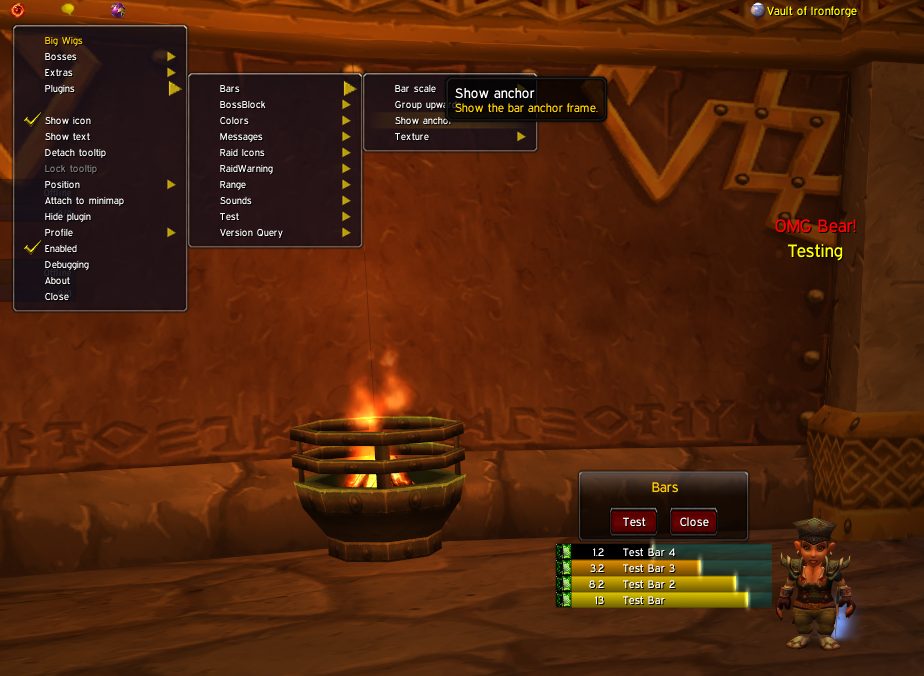
This is how boss-mod timer bars and on-screen warnings look in the 1.12.1 client — DBM displays them the same way:
 DBM Hotkeys
| Command | Action |
|---|---|
/dbm | Open settings |
/dbm pull N | Start pull timer for N seconds |
/dbm reset | Reset all settings to defaults |
/dbm unlock | Unlock frames for moving |
 DBM in WoW Classic Raids
On WowX5 server DBM is especially useful in the following raids:
Molten Core (MC): timers for Magmadar's Panic, Lucifron's Curse and Impending Doom, Baron Geddon's Living Bomb.
Blackwing Lair (BWL): timers for Nefarian's Shadow Flame, drakonid waves in phase one, Nefarian's class calls.
 PanicMagmadar, Molten CoreInstantPanics nearby enemies, causing them to flee in fear for 8 sec.
 Lucifron's CurseLucifron, Molten CoreInstantCurses nearby enemies, increasing the costs of their spells and abilities by 100% for 5 min. Applies to mana, rage and energy costs.
 Living BombBaron Geddon, Molten Core45 yd rangeInstantThrows a bomb at an enemy. After 8 sec., the bomb explodes, inflicting 3200 Fire damage to the target and its nearby allies.
 Shadow FlameNefarian, Blackwing Lair45 yd range2 sec castInflicts 3938 to 5062 Shadow damage to enemies in a cone in front of the caster.
Ahn'Qiraj 40 (AQ40): Timers for Twin Emperors mechanics, C'Thun abilities.
Naxxramas: Grand Widow Faerlina's enrage timer, Patchwerk's Hateful Strike.
◆Additional DBM Modules
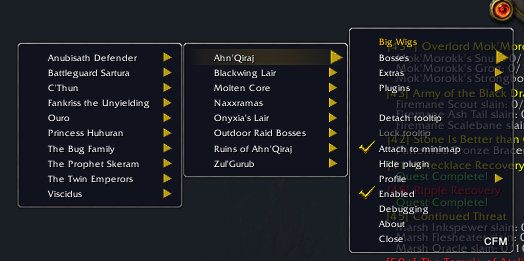
There are separate packages for each raid beyond the main module:
- DBM-MC — Molten Core
- DBM-BWL — Blackwing Lair
- DBM-AQ — Ahn'Qiraj 20 and 40
- DBM-Naxx — Naxxramas
- DBM-ZG — Zul'Gurub
Install all required packages for complete coverage.
 Pro Tip
DBM synchronizes between players in the raid. If at least one raider sees a boss ability, the timer updates for the whole group. This is critical for first kills.
Want to configure another addon? Read our guides on pfUI and Questie.
Ready for raids? Register on WowX5 and join the server's raiding guilds.
FAQ
?What is DBM?
DBM (Deadly Boss Mods) is a World of Warcraft addon that shows boss ability timers and warns about important mechanics in raids and dungeons. It helps you and your raid react to boss attacks in time.
?Where to download DBM for WoW Classic?
Download the archive from CurseForge or the BigWigs/DBM GitHub repository. For Classic 1.12.1 use a build made for the 1.12.1 (Vanilla) client.
?DBM is not showing timers on a boss — what to do?
Check that the addon version is compatible with patch 1.12.1. Type /dbm reset to reset settings. Make sure the addon is enabled in the addon selection menu.
?Can I disable DBM sound alerts?
Yes. Open /dbm → Options → Sound. You can turn off sound completely or configure individual alerts for each mechanic type.
?Does DBM conflict with other addons?
DBM is generally compatible with most addons. If there is a conflict, try disabling addons one by one to find the source of the problem.
Related
 What To Do At Level 60 — Endgame GuideGetting started & help · 2 min read
WeaponSwingTimer: auto-attack timer for WoW Classic x5Getting started & help · 3 min read
 Windowed and Fullscreen Mode in WoW 1.12.1Getting started & help · 2 min read
Verify the WoW 1.12.1 client integrityGetting started & help · 2 min read
Now jump into WoW Classic X5
Theory alone gives no XP. Join WoW Classic X5 — Vanilla 1.12.1, x5 rates, blizzlike mechanics — and try this guide in game.
- Create an account on wowx5.ru
- Download the WoW Classic 1.12.1 client
- Put into realmlist.wtf:
set realmlist play.wowx5.ru
 Experience ×5
 Loot ×5
 Free, no pay-to-win