
 Getting started & help
WoW Classic 1.12.1 Addons
The right set of addons transforms the WoW 1.12.1 experience from bare-bones to polished. Because WoW Classic X5 runs on patch 1.12.1, every addon must be written for that specific API — modern retail or TBC addons will simply fail to load. Here's everything you need to get set up.
Contents
 How to Install an Addon
- Download the addon archive (
.zipor.rar). - Extract it so you have a named folder (e.g.,
pfUI,Questie). - Move that folder into
<WoW install dir>/Interface/AddOns/. - Launch the game. On the character selection screen click the Addons button (lower-left) and tick the checkbox next to the addon.
- To reload addons mid-session without restarting, type
/console reloaduiin chat.
Top 10 Addons for WoW Classic 1.12.1
| Addon | Category | What it does |
|---|---|---|
| pfUI | UI overhaul | Full UI replacement: unit frames, buffs, minimap, chat |
| SuperWoW | Engine | Extends the 1.12.1 API; required by several modern Vanilla addons |
| Questie | Questing | Adds quest markers to the world map and minimap |
| AtlasLoot | Raids/dungeons | Shows loot tables for every boss with drop chances |
| Atlas | Maps | Interactive maps of every dungeon and raid instance |
| Decursive | Healing | One-click removal of curses, poisons, and diseases |
| ThreatMeter | Raiding | Displays live threat values for all players in the group |
| oCB5 / CastBar | Combat | Progress bars for your casts and enemy cast bars |
| EasyFrames | UI | Enhances default player/target frames with colour scaling |
| Gatherer | Professions | Records herb and ore node locations on your map |
 Key Addon Descriptions
pfUI — the essential UI overhaul
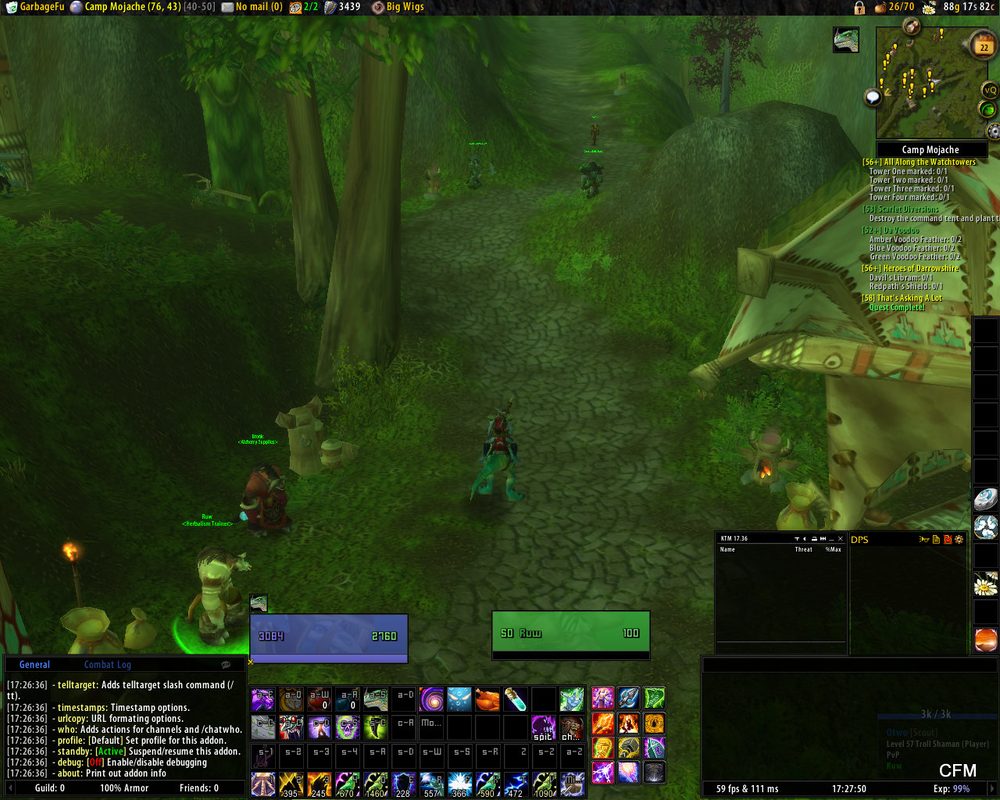
pfUI replaces almost every element of the default interface: health/mana bars, party and raid frames, the minimap, chat windows, and action bars. Configure everything via /pfui. pfUI works on the plain 1.12.1 client; SuperWoW is optional and only unlocks a few extra features. Once set up, pfUI feels closer to a modern MMO without sacrificing the Vanilla aesthetic.
Questie — a must for levelling
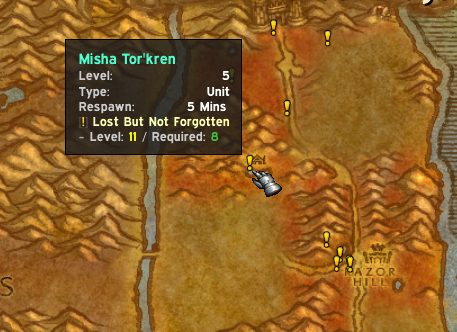
Questie overlays quest objectives directly on the world map and minimap — pickup locations, kill areas, turn-in NPCs. At x5 rates you'll be chaining quests quickly, and Questie keeps the flow moving without constant Wowhead lookups.
pfQuest, the other popular quest addon for 1.12.1, works the same way: NPCs and objectives are marked on the world map, and the tooltip shows level, respawn time and the related quest.
AtlasLoot + Atlas
Atlas gives you an in-game floor plan of every dungeon and raid. AtlasLoot adds a loot database: hover over any boss to see its complete drop table with percentage chances. Together they're indispensable for planning pre-raid bis gear and scheduling runs.
Decursive
In a game where curses, poisons, and diseases can wipe a raid, Decursive turns complex reaction management into a single click. It renders compact frames for every group member and highlights who needs a cleanse in real time.
ThreatMeter
Effective raiding on a Vanilla server means managing threat meticulously — tanks need to know when DPS is pulling aggro, and DPS need to know when to back off. ThreatMeter makes this visible for everyone in the group.
Bag addons
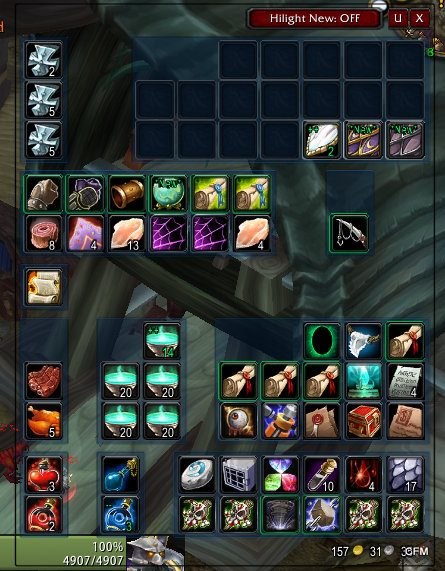
Bagnon or OneBag merge all your bags into a single window, so looting and selling in dungeons takes seconds instead of opening five bags.
Where to Download Vanilla-Compatible Addons
- GitHub — search for repositories tagged
wow-1.12orvanilla-wow. Most actively maintained Vanilla addons live here. - pfUI repository:
github.com/shagu/pfUI - Vanilla WoW Addons forums and communities — check for pinned threads with curated, verified download links.
Only download addons from reputable sources. Avoid random file-sharing sites; stick to GitHub or well-known community hubs to keep your system safe.
 FAQ
FAQ
?Can I use modern addons downloaded from CurseForge?
No. Modern addons use a different API and will not load on a 1.12.1 client. You must use addons specifically built or ported for WoW version 1.12.1.
?Where do addon folders go?
Place each addon folder directly inside Interface/AddOns in your WoW installation directory. After copying, reload the UI with /console reloadui or restart the client.
?My addon isn't showing in-game. What should I check?
At the character selection screen, click the Addons button and make sure your addon is checked. Also confirm the folder isn't nested inside another subfolder.
Related
WoW Classic Chat Commands: Complete Reference for WowX5Getting started & help · 3 min read
WoW Classic 1.12.1 (Vanilla) system requirementsGetting started & help · 2 min read
 WoW Classic Core Game Systems: Beginner's GuideGetting started & help · 3 min read
WoW 1.12.1 won't launch: fix it on Windows 10/11Getting started & help · 2 min read
WoW Classic Core Game Systems: Beginner's GuideGetting started & help · 3 min read
WoW 1.12.1 won't launch: fix it on Windows 10/11Getting started & help · 2 min read
Now jump into WoW Classic X5
Theory alone gives no XP. Join WoW Classic X5 — Vanilla 1.12.1, x5 rates, blizzlike mechanics — and try this guide in game.
- Create an account on wowx5.ru
- Download the WoW Classic 1.12.1 client
- Put into realmlist.wtf:
set realmlist play.wowx5.ru
 Experience ×5
 Loot ×5
 Free, no pay-to-win