
 Getting started & help
Guilds in WoW Classic: How to Join, Leave and All Commands

This is a help page on guild mechanics in WoW Classic 1.12.1 on the WowX5 x5 server: how to join, how to leave, how to create a guild and which commands do it. If you need strategy — building a core, writing rules and taking the guild into raids — read the guild growth guide.
Contents
◆How to leave a guild in WoW Classic
To leave a guild, type in chat:
/gquitThe full form /guildquit works too. Your character leaves instantly — there is no confirmation window. Key points:
- The guild master cannot leave while other members remain. First pass leadership with
/gleader PlayerName, then type/gquit. - Leaving does not delete your character or take any items — you only lose guild chat and your rank, and your tabard stops showing the emblem.
- You can only come back with a new invitation from an officer or the master.
- To disband the whole guild, the master types
/gdisband— this cannot be undone.
When moving an alt to another guild, leave with /gquit first and then ask for the invite: a character that is still in a guild will not receive a new invitation.
◆How to join a guild
- Find a guild that is recruiting — in the capital trade channel, the server channel or the recruitment posts.
- Whisper the master or an officer (
/w Name) and agree on joining. - The officer sends an invite with
/ginvite YourName. - Click Accept in the window that appears — you are in, and guild chat is available via
/g.
You can be in only one guild at a time, so leave the old one with /gquit before joining a new one.
◆How to create a guild
- Buy a Guild Charter from the Guild Master NPC in a capital — 10 silver. Alliance masters are in Stormwind and Ironforge, Horde ones in Orgrimmar and Undercity.
- Choose a name — unique on the server and within the rules.
- Collect 9 signatures from different players: open the charter and offer it for signing.
- Turn in the signed charter to the Guild Master — the guild is created and you are its master.
- Emblem and tabard (optional) — the emblem is designed at the Tabard Designer in a capital, who also sells the tabard.
Each character can sign only one charter at a time, so signatures from alts on one account do not always work — asking players in the trade channel is easier.
The Guild Charter is sold by the Guild Master, and the Guild Tabard with your emblem by the Tabard Vendor:
 Guild CharterBinds when picked upUnique
 Guild TabardTabard
◆The guild window
The guild roster opens from the Social window (O key) → Guild tab. It shows:
- members, levels, classes, zones and last online time;
- each member's rank and officer notes;
- the Guild Control button — for the master to set up ranks and permissions.
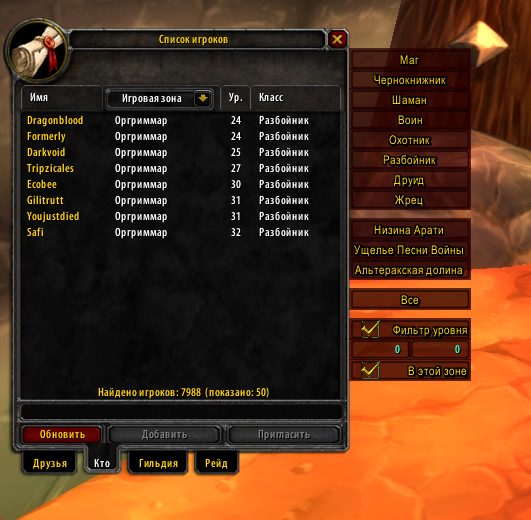
Vanilla allows up to 10 ranks. Permissions are set per rank: invite, remove, promote, guild chat, officer chat, edit message of the day. There is no built-in guild bank in 1.12.1 — a bank alt plays that role (details in the guild growth guide).
◆All guild commands
| Command | Action |
|---|---|
/gquit | Leave the guild |
/ginvite Name | Invite a player |
/gremove Name | Remove a player |
/gpromote Name | Promote a rank |
/gdemote Name | Demote a rank |
/gleader Name | Pass leadership |
/gmotd Text | Set the message of the day |
/ginfo | Guild information |
/gdisband | Disband the guild (master only) |
/g Text | Guild chat |
/o Text | Officer chat |
Other chat commands are in the Chat Commands help page.
◆See also
- How to grow a guild in WoW Classic: rules, recruiting and raids — strategy for masters and officers.
- Creating Groups and Raids — getting the guild into a raid.
- Guild recruitment on WowX5 — current posts.
 FAQ
?How do I leave a guild in WoW Classic?
Type /gquit (full form /guildquit) in chat and press Enter. Your character leaves the guild immediately with no confirmation. The guild master cannot leave this way while other members remain: first pass leadership with /gleader PlayerName.
?How do I join a guild in WoW Classic?
Ask the guild master or an officer to invite you. They type /ginvite CharacterName, an invitation window appears for you, click Accept. Guilds that are recruiting post in the capital trade channel and in WowX5 site news.
?How do I create a guild in WoW Classic?
Buy a Guild Charter from the Guild Master NPC in a capital for 10 silver, choose a unique name, collect signatures from 9 different players and turn the signed charter in to the Guild Master. The guild is created and you become its master.
?How do I disband a guild in WoW Classic?
The guild master types /gdisband. The guild is removed for all members at once and this cannot be undone. If you only want to leave rather than disband, pass leadership with /gleader and then leave with /gquit.
Related
WoW Classic Chat Commands: Complete Reference for WowX5Getting started & help · 3 min read
Creating Groups and Raids in WoW Classic: Step-by-Step Guide for WowX5Getting started & help · 2 min read
Hardcore in WoW Classic — survive and reach 60Getting started & help · 3 min read
Gnome in WoW Classic: Classes and Where to Start (x5)Getting started & help · 2 min read
Now jump into WoW Classic X5
Theory alone gives no XP. Join WoW Classic X5 — Vanilla 1.12.1, x5 rates, blizzlike mechanics — and try this guide in game.
- Create an account on wowx5.ru
- Download the WoW Classic 1.12.1 client
- Put into realmlist.wtf:
set realmlist play.wowx5.ru
 Experience ×5
 Loot ×5
 Free, no pay-to-win